

Scan the QR Code to View the Demo Event
Use your phone’s camera to scan the QR code below. You’ll be taken to a live PixelParty demo event where you can view and upload photos just like a real guest.
.jpg)

.jpg)
.jpg)
Live Memory Slideshow
Elevate your event with PixelParty’s Real-Time Slideshow! Showcase photos and messages as guests contribute to your digital guest box. Watch a dynamic slideshow grow throughout your celebration, creating a captivating and interactive visual experience that keeps everyone engaged in real time.
.jpg)
.jpg)
Custom Color Theme
Make your event truly unique with PixelParty’s Custom Color Theme! Tailor the app’s interface and event page to match your event’s style, from elegant weddings to vibrant parties. Choose your own colors to create a cohesive and personalized experience that complements your celebration perfectly.
.jpg)
.jpg)

No. Guests simply scan your event QR code and the mobile web uploader opens instantly no app or signup.
You can set up now and upgrade when you’re ready. If you plan to print QR table cards, do that a little in advance so everything’s ready on the day.
Yes you own your photos. Download all originals in one zip or individually anytime.
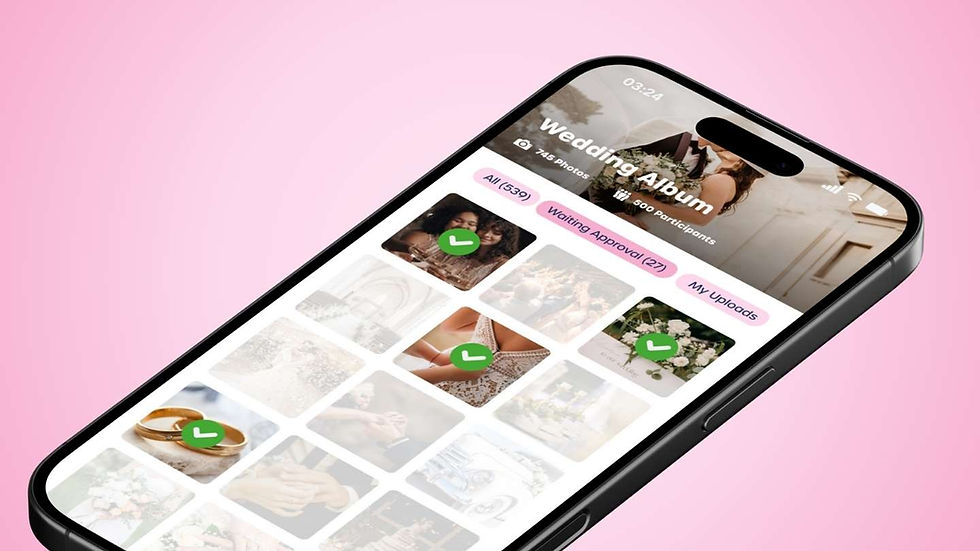
Yes. New uploads appear in your live album immediately. You can approve/hide photos and even run a live slideshow during the event.
Yes, an internet connection is required to join and upload. Guests can always shoot with their phone’s camera and upload when connected.
Yes, you can download all the photos in one go or individually.
They scan your QR (on table cards, screens, or invites). It opens the PixelParty web uploader on their phone. No app, no login.
Yes, after the event, guests can save or share their favourite photos with family and friends.
Create your event in PixelParty and we auto-generate a unique QR and share link. Print the QR or share the link in WhatsApp/iMessage/SMS.
Yes. Albums can be private, and data is handled with GDPR-friendly best practices.